Custom Courses with Rapid (beta) Using the instructions and training tasks in your project, Rapid automatically creates a training course for tasker onboarding. With Custom Courses (currently in beta), you can create add
Using the instructions and training tasks in your project, Rapid automatically creates a training course for tasker onboarding. With Custom Courses (currently in beta), you can create additional courses for taskers to take and pass before working on your production batches to increase quality.
Custom Courses and ThroughputNote that adding custom courses can increase the time it takes for your batches to get completed because taskers will need to take and pass the courses before labeling and reviewing your tasks.
Currently custom courses are not supported for projects using video stitching and taxonomy chunking.
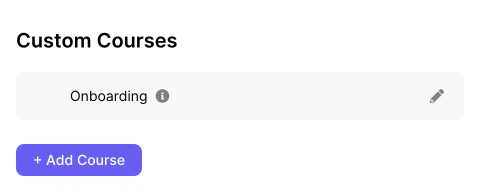
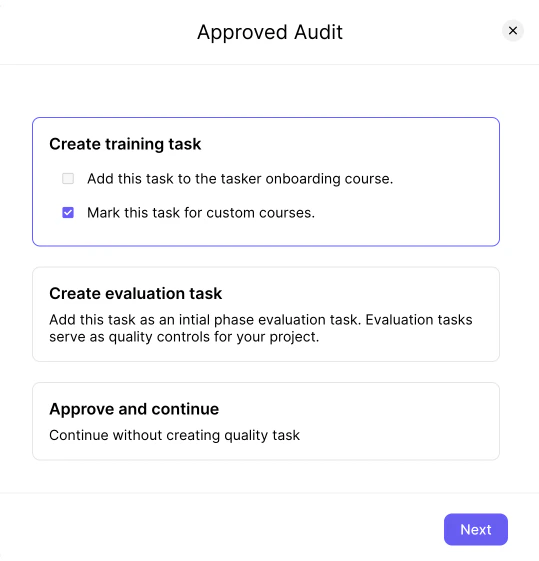
You can access the Custom Course editor within Quality Lab under the Advanced Tools section. Before you can start creating custom courses you will need to select some training tasks while auditing your calibration batches.Once you have selected some training tasks, the first training course will automatically be created and you will see the option to create new courses.When you create a new course it is disabled by default and not shown to taskers. Once you are happy with the contents of your course, you can click on the “Disabled” chip to enable the course. You can also disable any courses you no longer want to serve by clicking on the “Enabled” chip.
By clicking on the ✏️ icon, you will be able to edit the name and sections of your newly created or existing course. Each course is made up of several sections that the tasker sees sequentially. For new courses, some sections might be automatically populated with some boilerplate sections depending on your project type.You can change the name of your custom course using the text field on the top left. You can reorder the sections by using the drag handle. You can delete a section by clicking on the 🗑 icon. You can edit the contents of a section by clicking on the chevron icon to open the section editor. You can also add new rich text, multiple choice, or task sections to your course.
Use task sections to test taskers on audited tasks in your project. These are evaluated in the same way as training tasks.In the section editor you will be able to select a task from ones that were approved and marked for custom courses while auditing (as opposed to being used as a training task). You can also click on the selected task to modify the initial and expected response to focus on certain labels.
Once you are happy with the contents of your course, you can click on the “Save” button. This will update the name and sections when new taskers take the course. When saving you can also force taskers to retake the course. Use this option if you make substantial modifications to your course and would like all taskers (even if they have previously taken the same custom course or completed tasks for the same project) to take it before you can continue working on your tasks.In the All Courses screen you can reorder the order in which courses are served to taskers by using the drag handle and then clicking on the “Save Course Ordering” button.
Assistant
Responses are generated using AI and may contain mistakes.