Multi-Stage Overview
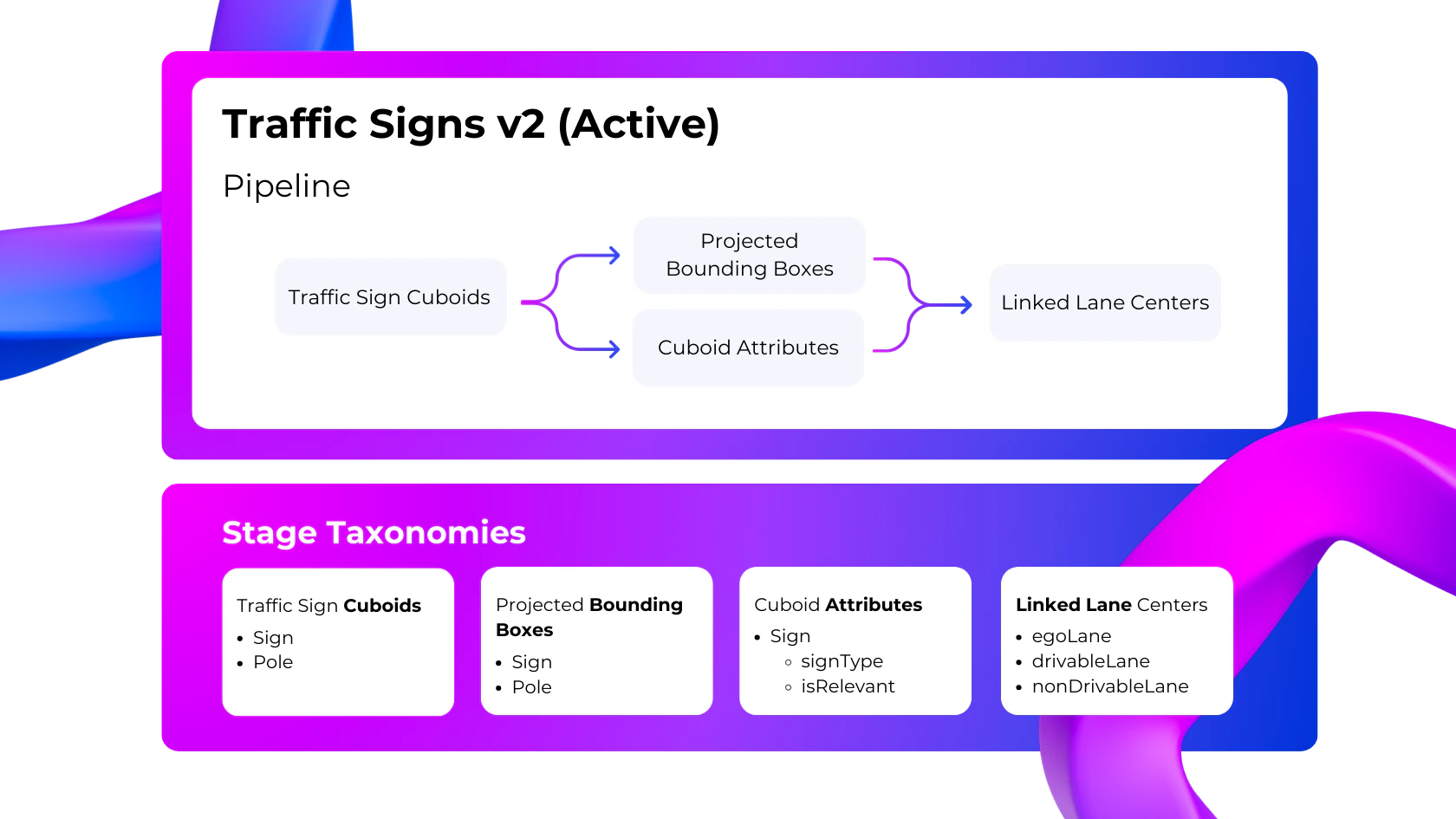
Multi-stage is our most advanced and flexible task type. It is designed to handle complex full-scene labeling that spans multiple annotation types and modalities, and serves as a replacement for Scale’s legacy dependent tasks system (which requires using multiple tasks to fully label a scene). On a multi-stage task, labeling is split up into multiple stages. Stages are organized in a pipeline such that they are dependent on one another, and can run sequentially or in parallel. As a task passes through a stage, Scale adds labels corresponding to taxonomy classes enabled for that stage. Once all stages are completed, the task is then finalized and delivered.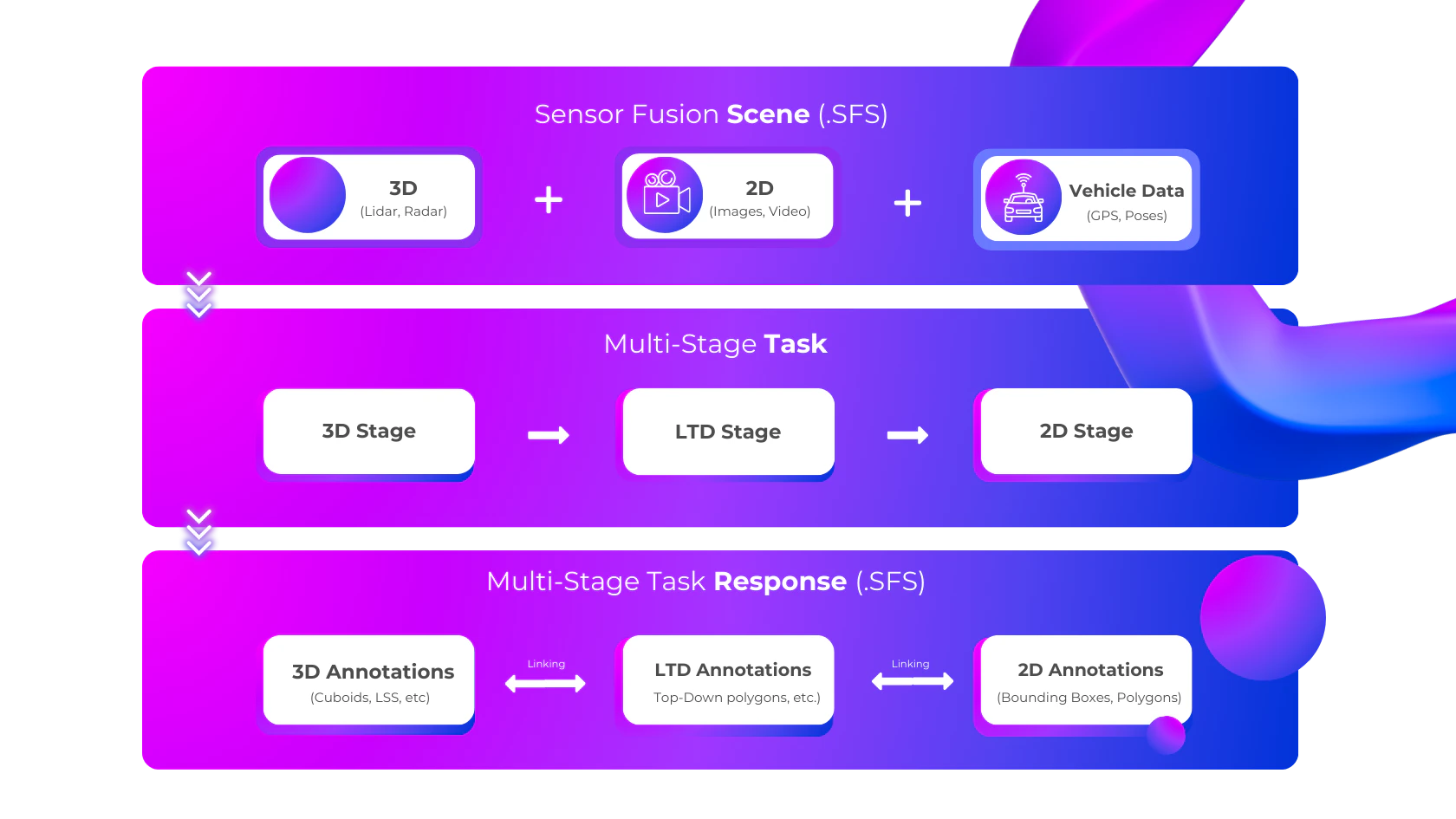
Blueprints
All multi-stage tasks are created with a blueprint, which is defined separately prior to task creation. Each task’s blueprint dictates its stages, stage dependencies (pipeline), their respective taxonomies, and the values of any stage-specific parameters. Blueprints may also include conditional logic, so that certain stages are only enabled if specific criteria are met (e.g. if there is an attribute with a specific value in the prior stage). Multi-stage projects may contain one or many blueprints, but only one blueprint can be “active” at any given time. New multi-stage tasks will use the project’s active blueprint by default, but may also use a different blueprint from the project if specified during task creation.